Visual Availability
Display recurring schedules, blackout dates and real session capacity through a clear booking calendar.

Workshop Bookings Pro · by e-iT
Manage single sessions, monthly participation, shared capacity, customer communication, loyalty rewards, referrals and business analytics directly inside WooCommerce.
View Pro Plans Explore Features
Less administration. More time for your business.
Workshop Bookings Pro turns WooCommerce into a complete workshop, class and activity booking system while keeping the checkout, payments and customer management you already know.
Display recurring schedules, blackout dates and real session capacity through a clear booking calendar.
Sell individual sessions, selected calendar months or both from the same WooCommerce product.
Single and monthly bookings use the same real availability, helping prevent overbooking across different booking types.
View participants and availability from the administration calendar and add phone bookings using the same capacity pool.
Monitor bookings, revenue, workshop performance, customer activity and returning or inactive customers.
Reward customers based on booking activity using WooCommerce coupons and configurable loyalty rules.
Give customers personal referral links and reward successful referrals. Eligible guest purchases are supported using billing email attribution.
Send reminders, collect YES / NO attendance responses, notify customers about cancellations and reuse message templates.
Provide Google Calendar links and .ics files for Apple Calendar, Outlook and other compatible calendar applications.
Built on WooCommerce
Products, orders, customer accounts, coupons, taxes and payment gateways remain inside WooCommerce.
Workshop Bookings Pro extends WooCommerce instead of replacing it, giving you workshop booking functionality without forcing customers through an unfamiliar checkout system.
Monthly participation represents prepaid selected calendar months. It does not automatically create recurring card charges.
| Feature | Lite | Pro |
|---|---|---|
| Booking calendar, schedules & shared capacity | ✓ | ✓ |
| Single & multi-month participation | ✓ | ✓ |
| Basic reminders & calendar exports | ✓ | ✓ |
| English & Greek | ✓ | ✓ |
| Customer and revenue reporting | — | ✓ |
| Workshop performance analytics | — | ✓ |
| CSV exports | — | ✓ |
| Loyalty rewards | — | ✓ |
| Referral rewards | — | ✓ |
| RSVP and cancellation notifications | — | ✓ |
| Reusable message templates | — | ✓ |
| Staff calendar & phone bookings | — | ✓ |
Launch Offer · Over 40% Off
Every plan includes the complete Workshop Bookings Pro feature set. The only difference is the number of websites you can activate.
1 Website
First year
Renews at €69 / year
Get StarterUp to 5 Websites
First year
Renews at €129 / year
Get BusinessUnlimited Websites
First year
Renews at €219 / year
Get AgencyLaunch pricing applies to the first annual payment. Future renewals are charged at the regular annual price shown above.
Documentation
From installation to everyday workshop management, this guide explains the main features step by step using screenshots from a real Workshop Bookings Pro installation.
Screenshots are taken from an actual installation of Workshop Bookings Pro 1.0.3.
Declared minimum requirements are WordPress 6.4, WooCommerce 8.0 and PHP 7.4. A currently supported PHP version is recommended.
Each license includes a specific activation allowance according to the purchased plan.
If a Pro license becomes invalid or expires, Pro-only functionality is no longer available. Existing booking data is not deleted.
Monthly participation means prepaid selected calendar months. It does not automatically renew the booking or charge the customer’s card again.
Single and monthly bookings share the same session capacity. WooCommerce quantity represents the number of participants.
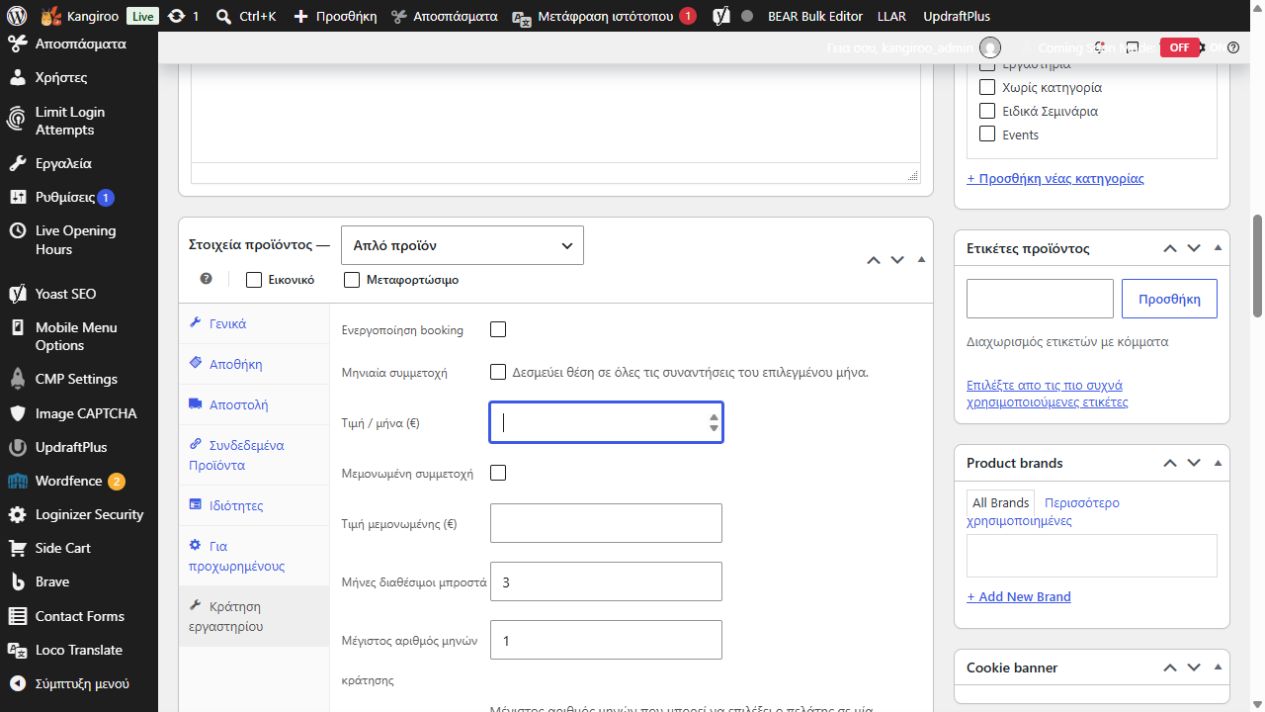
Open WooCommerce → Workshop Bookings and configure automatic customer reminders.
Set how long before each session the reminder should be sent.
Workshop Bookings Pro can collect YES / NO attendance responses, release capacity after a NO response and apply a response cutoff.
Preserve these message variables exactly:
{{workshop}},
{{date}},
{{time}},
{{order_number}}.
Google Calendar links and .ics downloads allow customers to save workshop sessions without Google Cloud, OAuth or API credentials.
Calendar export is not two-way synchronization. Removing or changing a booking does not automatically remove a previously imported calendar event.
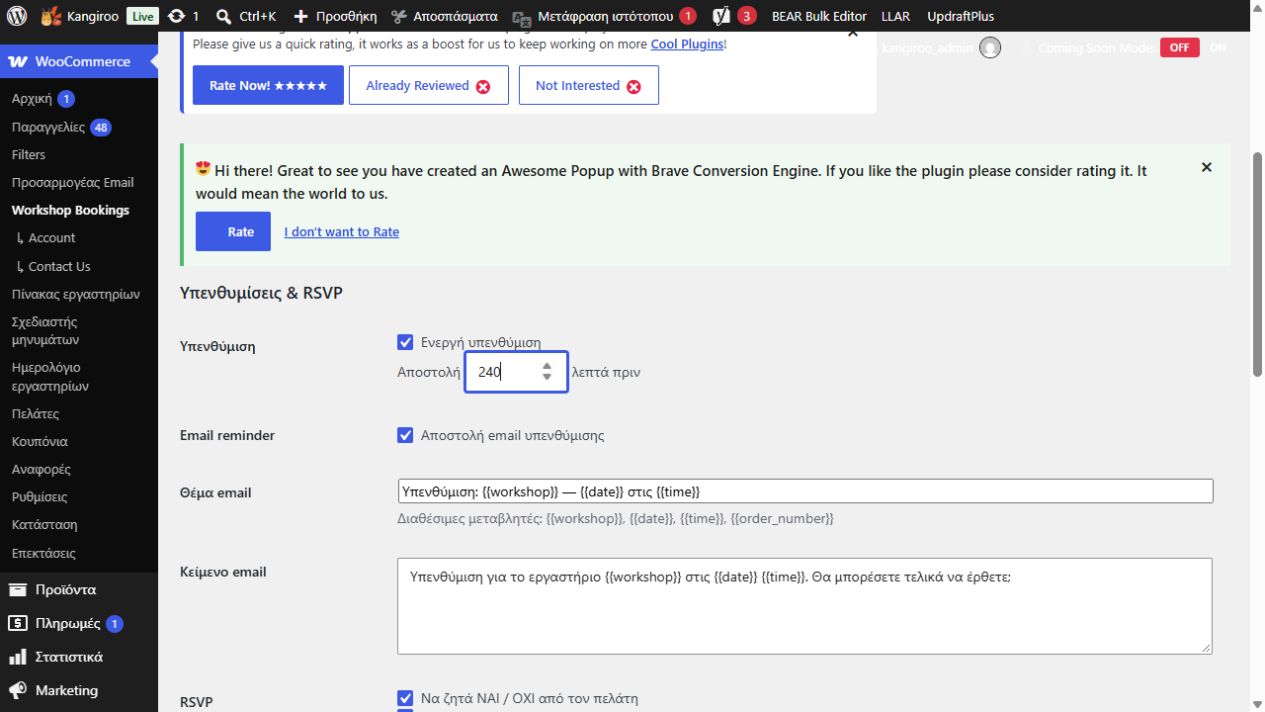
Phone bookings use the same capacity pool as online bookings.
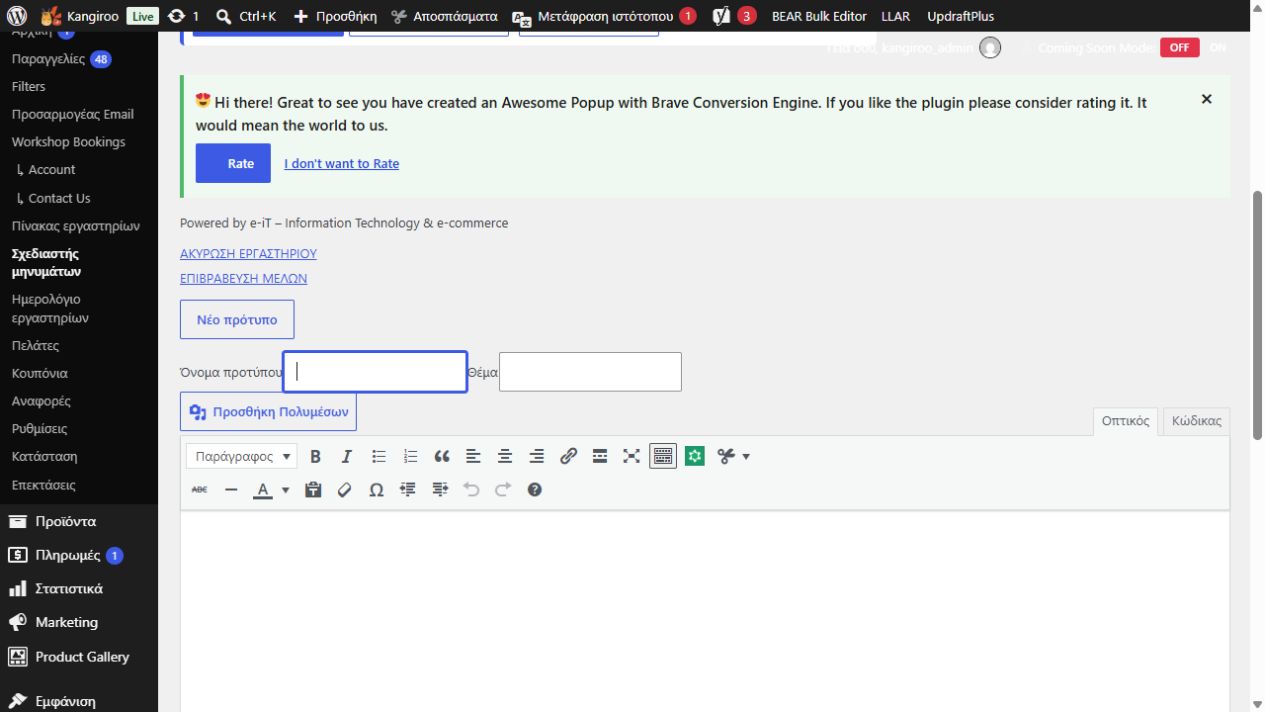
Cancellation communication can be associated with a specific workshop and date.
Financial refunds remain separate WooCommerce order actions.
The Workshop Dashboard provides booking, revenue and workshop performance information with customer and date filters.
Referral programs can define the required number of referred customers, reward percentage, eligible workshops and reward expiry.
Rewards are issued as WooCommerce discount coupons, not cash commissions.
Eligible guest purchases can be attributed using billing email. Repeated purchases from the same billing email do not generate additional referral counts under the same referral policy.
Self-referrals are excluded.
Back up your website before major updates and keep WordPress, WooCommerce and PHP current.
Support: info@it-e.gr
Frequently Asked Questions
Yes. Workshop Bookings Pro extends WooCommerce and uses its products, orders, customers and payment infrastructure.
Yes. You can enable single bookings, monthly participation or both on each workshop product.
Yes. You can configure how many future months are available and the maximum number of months a customer can select.
No. Monthly participation means the customer prepays selected calendar months. The booking itself does not automatically charge the customer’s card again.
Yes. Both booking types use the same session capacity.
Yes. Eligible guest purchases can be attributed through the customer’s billing email when a valid referral attribution exists.
No. The same billing email is counted only once for the same referrer and referral policy.
No. Google Calendar links and .ics exports work without Google Cloud configuration or API keys.
Yes. Workshop Bookings Pro supports WooCommerce HPOS.
Pro-only functionality becomes unavailable, but existing booking data is not deleted.
Yes. The editions are designed to preserve compatible booking data. A backup is still recommended before changing plugin editions.
Workshop Bookings Pro for WooCommerce
Manage bookings, capacity, customers, communication, loyalty rewards and referrals directly inside WooCommerce.
Choose Your Pro Plan
